In the previous post, Understanding the Delta Lake transaction log at the file level, we explored how the Delta Lake operated at the file level. Here we will dive deeper at the actual transaction log.
Delta Lake Protocol
But before we dive into the metadata itself, we need to first call out that the Delta Lake protocol. It is a specification that defines how Delta Lake can provide ACID properties to large collections of data, stored as files, in a distributed file system or object store. It supports:
- serializable ACID writes,
- snapshot isolation for reads,
- scalability to billions of partitions or files, and
- support for incremental processing allowing for efficient streaming.
Delta Lake is also self describing; i.e., all metadata for a Delta table is stored alongside the data maximizing portability.
Delta Table Specification
As defined in the Delta Table specification (this is copied verbatim from the protocol):
A table has a single serial history of atomic versions, which are named using contiguous, monotonically-increasing integers. The state of a table at a given version is called a snapshot and is defined by the following properties:
- Delta log protocol consists of two protocol versions, and if applicable, corresponding table features, that are required to correctly read or write the table
- Reader features only exists when Reader Version is 3
- Writer features only exists when Writer Version is 7
- Metadata of the table (e.g., the schema, a unique identifier, partition columns, and other configuration properties)
- Set of files present in the table, along with metadata about those files
- Set of tombstones for files that were recently deleted
- Set of applications-specific transactions that have been successfully committed to the table
Querying the Delta log
With this primer, let’s dive into the transaction log. We will query the log using PySpark but you could always perform this task using Scala, Java, Rust, Python, or your language of choice. The following query reads the V1 JSON file in the _delta_log folder of your Delta table.
Each version of the transaction log (e.g., 000....00000.json, 000...00001.json, 000.00002.json) represents a different atomic version of the Delta table. It contains the list of files that make up the table which will show here. For a better understanding of this versioning, please refer to Understanding the Delta Lake transaction log at the file level.
For example, if your table name is rocinante, then the V1 JSON file would have the path $/$warehouse$/rocinante/_delta_log/000...00001.json.
# Read the transaction log of version 1
j0 = spark.read.json("/.../000...000001.json")
display(j0)

Note, the output figures use the command display which is a Databricks specific command. You can use .show (e.g., j0.show()) when using a native Spark command instead.
The Delta Log Protocol > File Types defines the transaction log JSON. For now, let’s focus on the commit, add, and CRC pieces.
Commit Information
You can read the Delta Lake transaction log commits metadata using the following code snippet:
# Commit Information
display(j0.select("commitInfo").where("commitInfo is not null"))
with the following output
clusterId: "0127-045215-pined152"
isBlindAppend: true
isolationLevel: "WriteSerializable"
notebook: {"notebookId": "8476282"}
operation: "STREAMING UPDATE"
operationMetrics: {"numAddedFiles": "1", "numOutputBytes": "492", "numOutputRows": "0", "numRemovedFiles": "0"}
operationParameters: {"epochId": "0", "outputMode": "Append", "queryId": "892c1abd-581f-4c0f-bbe7-2c386feb3dbd"}
readVersion: 0
timestamp: 1603581133495
userId: "100599"
userName: "denny[dot]lee[@]databricks.com"
The metadata contains a lot of interesting information, but let’s focus on the ones around the file system in {metadata: description} format.
- operation: The type of operation that is happening, in this case, data was inserted via Spark Structured streaming writeStream job (i.e.
STREAMING UPDATE) - operationMetrics: Records how many files were added (
numAddedFiles), removed (numRemovedFiles), output rows (numOutputRows), and output bytes (numOutputBytes) - operationParameters: From the files perspective, whether this operation would append or overwrite the data within the table.
- readVersion: The table version associated with this transaction commit.
- clusterID, notebook: Identifies which cluster and notebook that executed this commit
- userID, userName: ID and name of the user executing this operation
Add Information
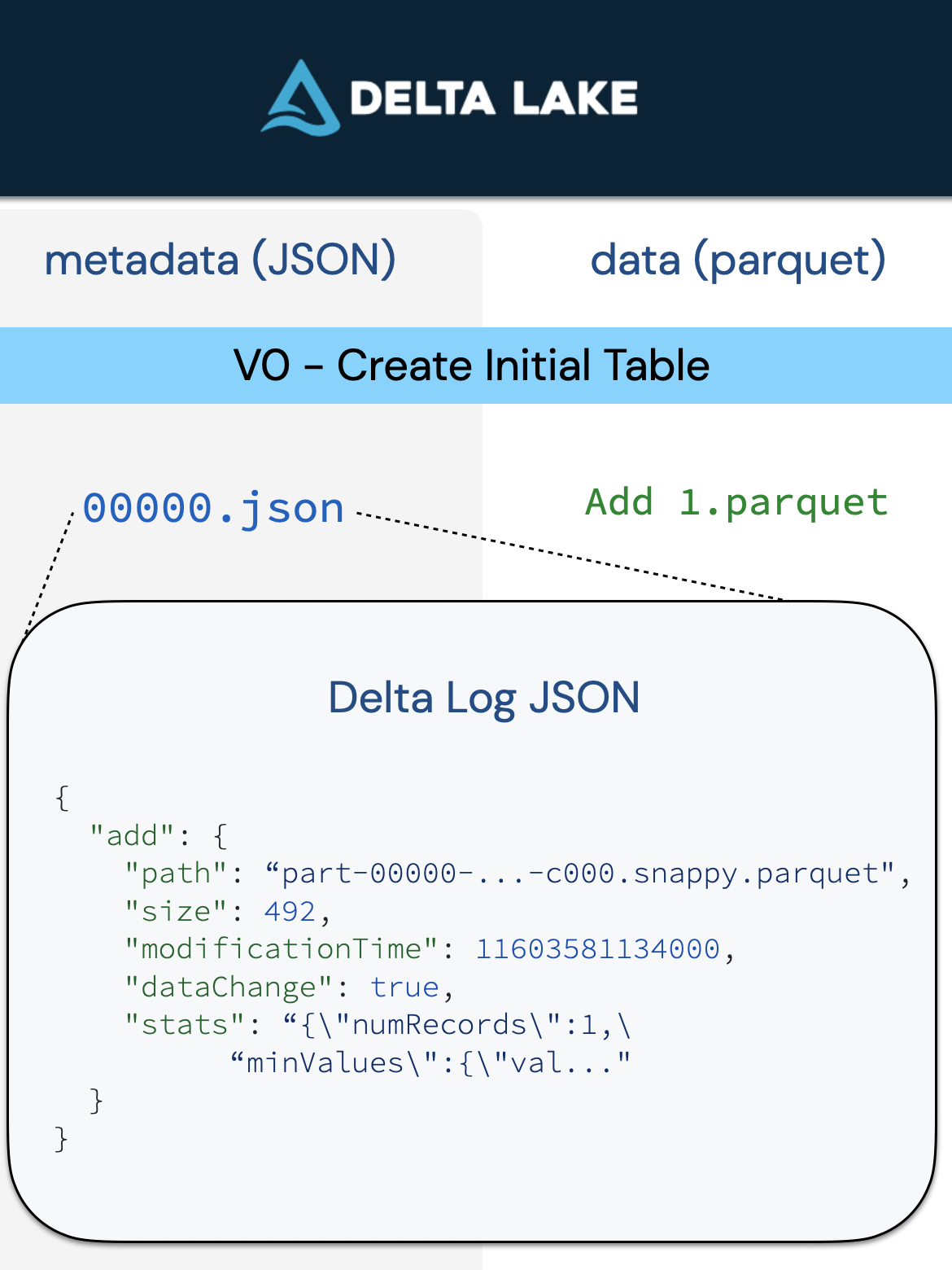
The add and remove actions are used to modify the table by adding or removing individual logical files respectively. Every logical file of the table has the path to a data file, combined with an optional Deletion Vector that indicates which rows of the data file are no longer in the table.
# Add Information
display(j0.select("add").where("add is not null"))
with the following output:
dataChange: true
modificationTime: 1603581134000
path: "part-00000-95648a41-bf33-4b67-9979-1736d07bef0e-c000.snappy.parquet"
size: 492
stats: "{\"numRecords\":0,\"minValues\":{},\"maxValues\":{},\"nullCount\":{}}"
Some important call outs in {metadata: description} format:
- path: A list of the file(s) added to a Delta table per a committed transaction
- size: The size of the file(s)
- stats: The statistics stored in the transaction log help the reader understand the size and scope of the table’s data files.
Typically when reading files from cloud storage, the reader (e.g.. Delta Rust, Apache Spark™, Trino, etc.) will read all of the files in a folder. Prior to reading the files, it must first list the files (listFrom) which can be extremely inefficient especially on cloud object stores.
The advantage of Delta Lake is that the transaction log contains the files that make up a table. Therefore, you can just query the files directly through their individual paths which can have a significant performance improvement than listFrom especially when working with a large number of files.
CRC file
For each transaction, there are both a JSON file as well as a CRC file. This file contains key statistics for the table version (i.e. transaction) allowing Delta Lake to help engine’s optimize its queries. To review this data, let’s just review the file directly from the file system using the following command.
%sh head /.../_delta_log/000...00001.crcBelow are the results from this query
{
   "tableSizeBytes":1855,
   "numFiles":2,
   "numMetadata":1,
   "numProtocol":1,
   "numTransactions":1
}
The two most notable pieces of metadata are:
- tableSizeInBytes: The table size in bytes so your query engine and Delta Lake can optimize their queries
- numFiles: Important for distributed query engines especially in scenarios like dynamic partition pruning
Addendum
To dive into this further, enjoy Diving into Delta Lake: Unpacking the Transaction Log v2. Burak and I also have a fun gag/blooper around time travel as it was a virtual conference that year.
Leave a Reply